On this page
Generic Interfaces
Overview
Tufin Orchestration Suite lets you extend the SecureTrack topology model by adding generic interfaces to a device. The generic interfaces you add will appear automatically in the Map when SecureTrack syncs it.
Add a generic interface
-
In the Map, right-click a non-generic device and select Show interfaces.
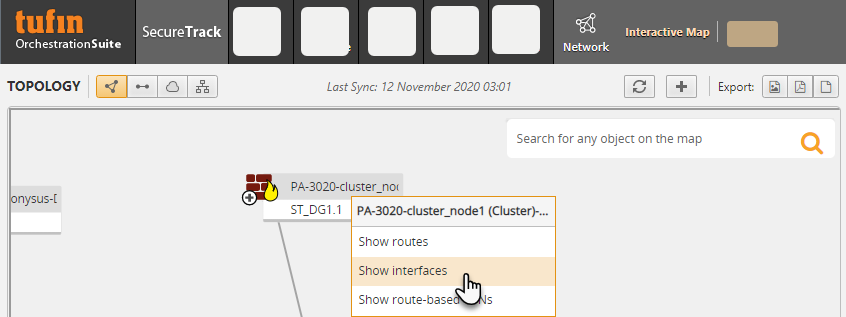
The Interfaces dialog box for the device appears.
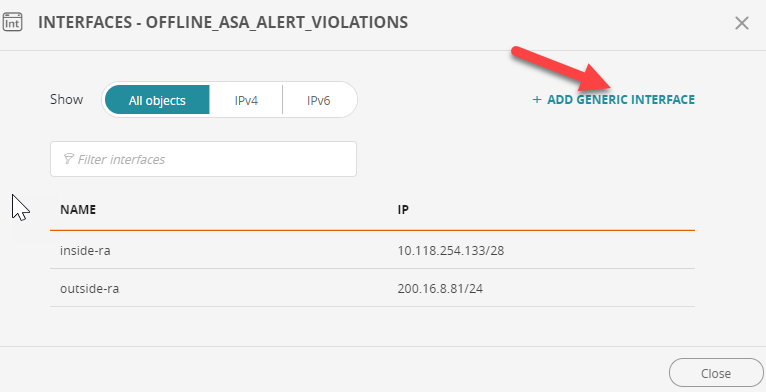
-
Click +ADD GENERIC INTERFACE.
-
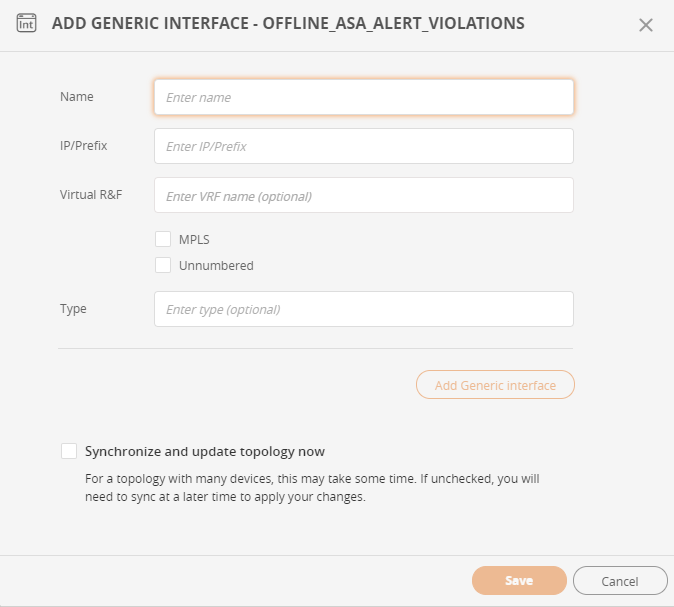
Enter the following information:
-
Name: Display name for the interface
-
IP/Prefix: IP adress or prefix of the interface
-
Virtual R&F: (optional) The virtual router in which the interface resides; mandatory for AWS
-
MPLS: Select if the interface type uses Multi-protocol label switching (MPLS)
-
Unnumbered: Select if the interface is unnumbered
-
Type: The device type.
-
-
Click Add Generic interface and if required enter additional interfaces.
-
Once all the interfaces have been entered, click Save to add the route to the device.
Delete a generic interface
-
In the Map, right-click a non-generic device and select Show interfaces.
-
Click the Delete
 icon on the row of the generic interface you want to remove.
Edit a generic interface
This feature is available from R25-2 PHF1.0.0
-
In the Map, right-click a non-generic device and select Show interfaces.
-
Click the Edit (
 ) icon on the row of the generic interface you want to edit.
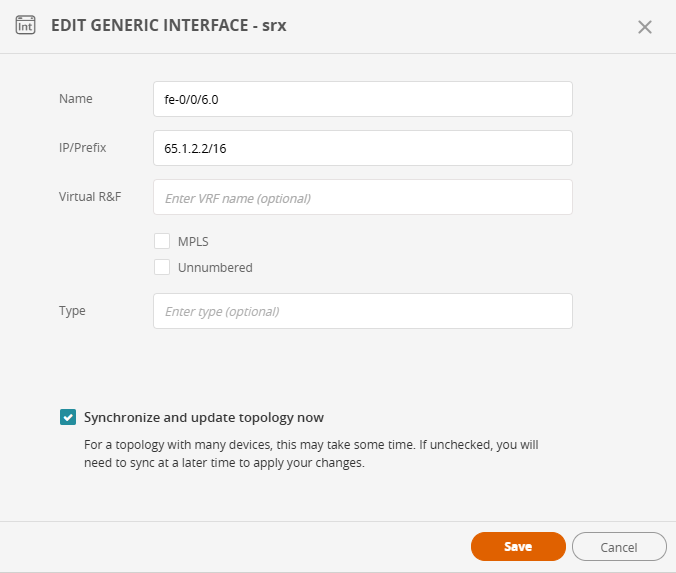
The Edit Generic Interface dialog box appears.
-
Edit the relevant fields.
-
To synchronize the Topology map, select Synchronize and update topology now.
If not selected, you will need to perform a later sync to apply the changes. If the topology map has many devices, the sync may take some time. -
Click Save.
API functions for generic interfaces
- Add generic interface
- Update generic interfaces
- Delete a generic interface
- Delete generic interfaces
See also:
How do I get here?
SecureTrack > Map  .
.
Was this helpful?
Thank you!
We’d love your feedback
We really appreciate your feedback
Send this page to a colleague