On this page
Message Board
Overview
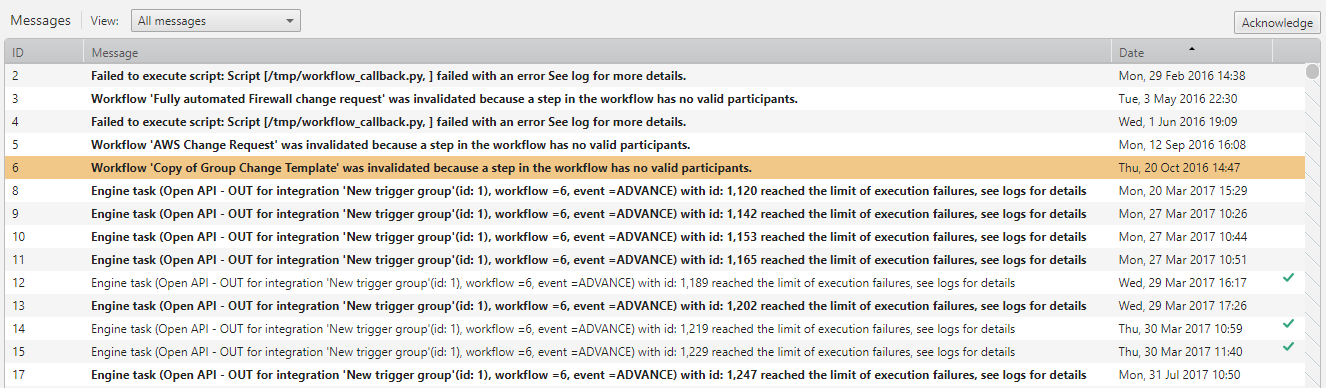
SecureChange records events such as ticket and workflow invalidation, and loss of connection to servers, and stores this information on the Administrative message board. SecureChange administrators with appropriate permissions can view and manage these messages.
Messages are sorted by date, from newest to oldest. Click the ID or Message column to sort the table according to that criteria.
By default, messages that are older than two years are automatically. To change this time frame, reach out to Tufin Support.
Which Events Trigger a Message?
System messages show SecureChange events, including:
-
User removal from LDAP or from SecureChange causes one of the following:
- A workflow step no longer has participants, invalidating the workflow.
- An open ticket no longer has participants for the current step.
- An open ticket no longer has a currently assigned handler or assigner.
- An email message was not sent for some time and is therefore deleted from the queue.
- The connection to an LDAP or mail server has been lost.
What Can I do Here?
-
Filter messages to view only New, only Acknowledged, or All. The screen will only present up to 1,000 messages, per filtered view.
-
Acknowledge a message: To change a message from New to Acknowledged, click Acknowledge.To change a group of messages at one time, use the <CTRL> and <SHIFT> keys to select the messages and click Acknowledge.
How do I Get Here?
SecureChange >  Settings > Message Board:
Was this helpful?
Thank you!
We’d love your feedback
We really appreciate your feedback
Send this page to a colleague