On this page
Import Folders and Managed Gateways for Strata Cloud Manager
Overview
Use this procedure to import folders and managed gateways for Strata Cloud Manager (SCM) tenants.
In SCM tenants, folders that manage gateways have the same name as the managed gateways. Therefore, in order to separate between folders and gateways, all gateways receive a "(GW)" suffix in TOS. If the gateway is part of a cluster it will receive a "(Cluster)" suffix.
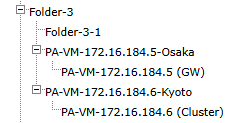
When importing clusters, TOS will retrieve security policy rules from the currently active gateway. If a failover occurs, TOS will automatically begin monitoring the new active gateway. However, the device name in the Tufin device tree will not change and it will remain the name of the gateway that was active at the time the cluster was originally imported.
To update the folder name, reimport the folders and managed gateways.
(From 5.2) After the folders are imported, if changes are detected in the name and/or location of the folders, a message will be displayed. To resolve this issue, go to the Import Folders page, and click Update.
Tooltips will be displayed next to the affected folders listing the changes.
Import folders and managed gateways
-
Select the SCM tenant from the device tree.
-
Click Import Folders and Managed Devices.
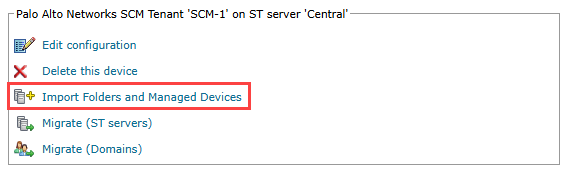
A list of folders and devices to import appears.
-
Select the folders and devices you want to import.
-
Click Import.
The managed folders and devices appear in the device tree.
How do I get here?
SecureTrack > Monitoring  > Manage Devices
Was this helpful?
Thank you!
We’d love your feedback
We really appreciate your feedback
Send this page to a colleague