On this page
Configuring IPAM Attributes
Overview
The IPAM Security Policy App (ISPA) uses attributes to populate subnets and to implement hierarchies. ISPA uses parent attributes exclusively to build the hierarchy and child attributes to populate subnets into zones.
For each IPAM solution, you can define how often the synchronization is repeated, on what days of the week and times it should be performed, and which subnets should be mapped to which SecureTrack zone. The mapping itself is achieved through attributes that are defined for each subnet in the IPAM solution. Each IPAM defines these attributes differently.
Only SecureTrack users with Super Administrator permissions can schedule synchronizations with IPAMs.
IPAM attributes are configured in the Sync ( ) menu.
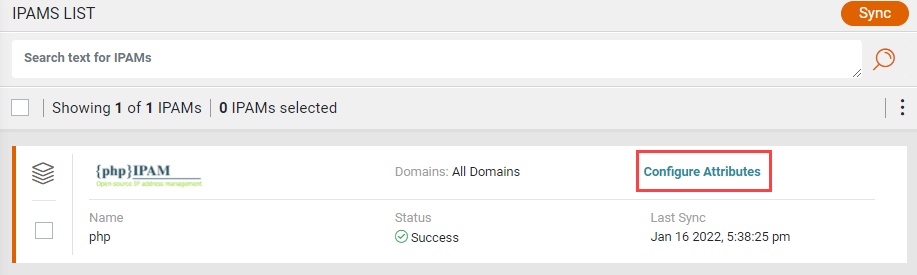
Configure IPAM attributes
-
Click Configure Attributes.
The Attributes List shows attributes that are mapped to SecureTrack zones and hierarchies.
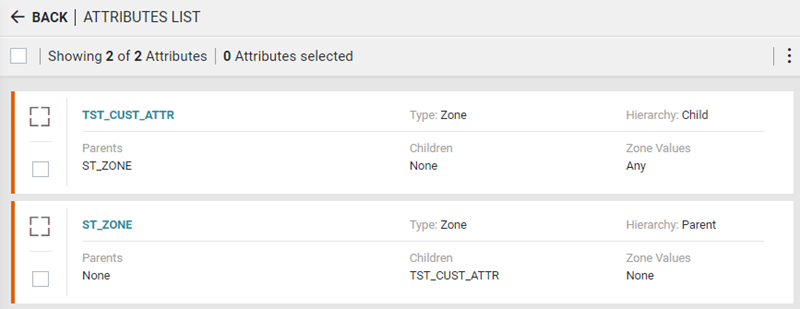
-
InfoBlox only. Select By attribute value as the Mapping Method.
-
From the Actions (
 ) list, click Instructions for vendor-specific guidance on typical attributes that you can map in the IPAM.
Here is an example of an Instructions box:
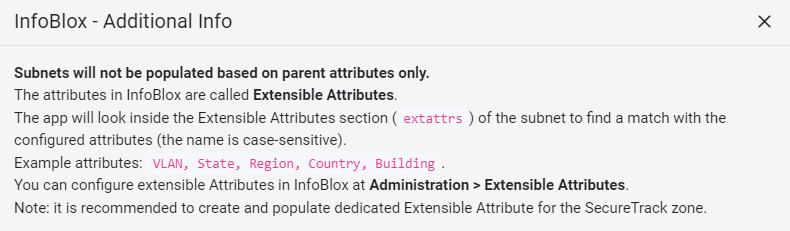
-
From the Actions (
) list, click Add.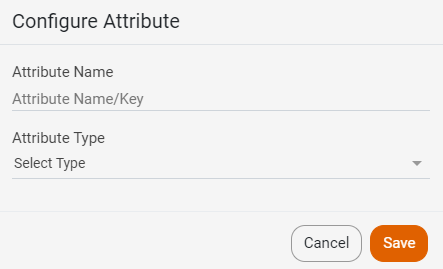
-
Enter the Attribute Name.
-
Configure the attribute type:
-
 Zone
-
In the Attribute Type field, select Zone.
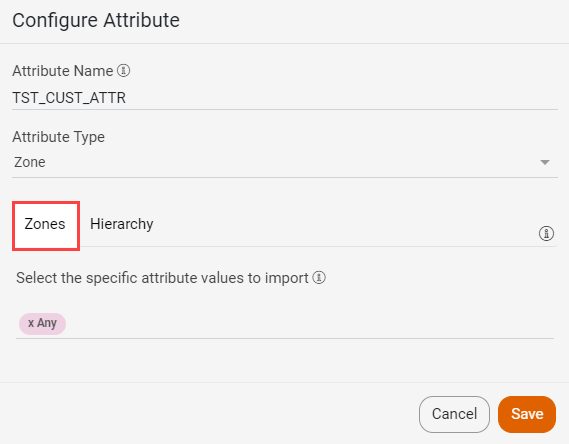 The Any zone populates zones based on all values across all predefined attributes in which subnets were found. If the zone is not specified by the IPAM, ISPA creates a zone called Unassociated Networks in SecureTrack for each IPAM. Subnets, which do not belong to a specific zone, are assigned to the Unassociated Networks zone. To prevent this assignment, it is recommended to assign attributes to a specific zone or hierarchy.
- Define the Hierarchy
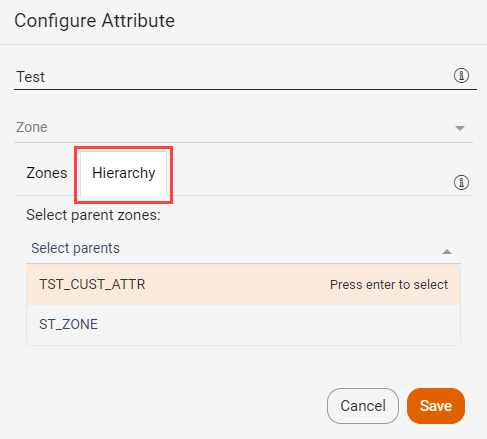
ISPA builds zones and zone hierarchies from IPAM data. You can define the zone as a parent, or add a sublevel as a child, as deep as you need to reflect the network hierarchy. The zones in a hierarchy must belong to the same domain.
The Parent attribute is only used to establish hierarchy relationships. When mapping information from the IPAM, ISPA does not use the Parent attribute to populate the subnet in the zone. ISPA uses zones, which are defined as Child zones, to populate subnets.
Changes to zone definitions appear in SecureTrack after a sync.
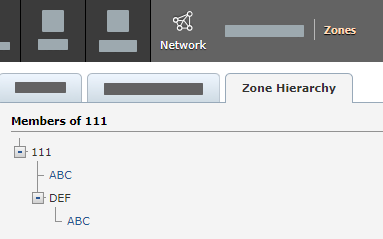
You can view the Zone Hierarchy in SecureTrack under Network > Zones.
-
-
Domain
Use this option to map the subnet attributes to a SecureTrack domain (in a multi-domain environment).
Both SecureTrack and the IPAM must be configured to support multiple domains.-
For the Attribute Name, type the name and select the Domain Attribute Type.
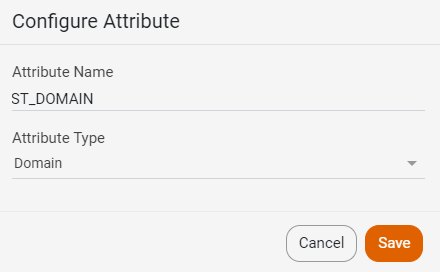
If you are mapping to more than one domain, you will also need to define a domain attribute to associate subnets and zones to domains.
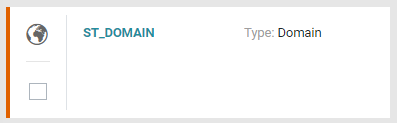
In this example, ISPA uses the ST_DOMAIN attribute to associate subnets and zones to the domains.
-
-
-
Click Save.
Configure Infoblox attributes by attribute name
By default, ISPA maps subnets to SecureTrack zones based on the value of the IPAM attribute. For example, if a subnet’s site attribute has the value HQ, ISPA adds the subnet to a zone called HQ. For Infoblox only, you can create custom mapping rules, to map attributes to SecureTrack zones based on an attribute name, and an optional prefix. This method should be used when the Infoblox attributes are used as flags.
For each attribute, you define:
-
The attribute name.
-
The trigger value that applies the rule.
-
Optionally, an attribute whose value is added to the attribute name as a prefix.
ISPA combines the prefix and the attribute name, and maps the subnet to the SecureTrack zone with that name. For example, if a subnet has DMZ=TRUE and Environment=PROD, and you configure DMZ with Environment as the prefix attribute, ISPA maps the subnet to the SecureTrack zone PROD-DMZ. Subnets that match no rule are mapped to the default zone.
Steps
-
Click Configure Attributes.
-
Select By attribute name as the Mapping Method.
-
In the Default Zone field, enter the zone to be used when there are no matching attribute names.
-
From the Actions (
) list, click Instructions for instructions on how to create and setup attributes in Infoblox. -
From the Actions (
) list, click Add.
-
Enter the Attribute Name.
-
Select the Attribute Type: Zone or Domain.
-
Enter the Trigger Value: True or False.
-
Optional. In the Prefix From Attribute field, enter an optional prefix.
-
Configure the attribute type:
-
Zone
-
In the Attribute Type field, select Zone.
The Any zone populates zones based on all values across all predefined attributes in which subnets were found. If the zone is not specified by the IPAM, ISPA creates a zone called Unassociated Networks in SecureTrack for each IPAM. Subnets, which do not belong to a specific zone, are assigned to the Unassociated Networks zone. To prevent this assignment, it is recommended to assign attributes to a specific zone or hierarchy. - Define the Hierarchy
ISPA builds zones and zone hierarchies from IPAM data. You can define the zone as a parent, or add a sublevel as a child, as deep as you need to reflect the network hierarchy. The zones in a hierarchy must belong to the same domain.
The Parent attribute is only used to establish hierarchy relationships. When mapping information from the IPAM, ISPA does not use the Parent attribute to populate the subnet in the zone. ISPA uses zones, which are defined as Child zones, to populate subnets.
Changes to zone definitions appear in SecureTrack after a sync.
You can view the Zone Hierarchy in SecureTrack under Network > Zones.
-
-
Domain
Use this option to map the subnet attributes to a SecureTrack domain (in a multi-domain environment).
Both SecureTrack and the IPAM must be configured to support multiple domains.-
For the Attribute Name, type the name and select the Domain Attribute Type.
If you are mapping to more than one domain, you will also need to define a domain attribute to associate subnets and zones to domains.
In this example, ISPA uses the ST_DOMAIN attribute to associate subnets and zones to the domains.
-
-
-
Click Save.
The Attributes List shows attributes that are mapped to SecureTrack zones and hierarchies.
