On this page
TufinMate for NetSec Engineers
TufinMate for NetSec Engineers is an AI assistant that helps IT professionals and network engineers find answers in the Tufin Knowledge Center (KC). You can ask about features, capabilities, and troubleshooting for Tufin Orchestration Suite (TOS).
The assistant responds with relevant information based on KC documentation. It understands natural language and maintains context within a session, so you can ask follow-up questions without repeating yourself. Each answer includes links to the specific KC pages that were used to generate the response.
Asking questions in the chat window
To use the assistant, go to https://ai-assistant.tufin.com/ and enter the access code you received from Tufin.
Type your question in plain language. For example:
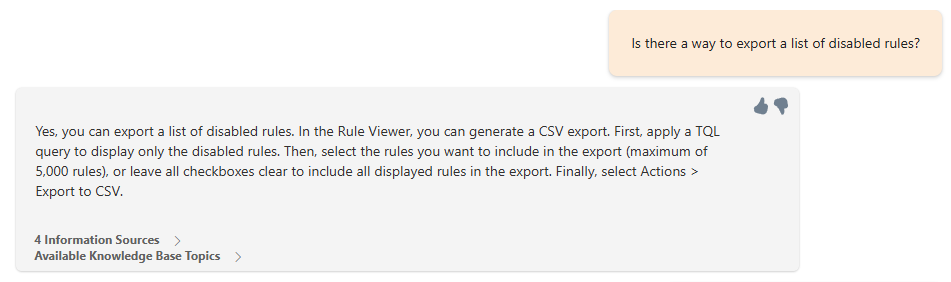
To reset the session, click the trash bin icon next to the chat field. The assistant uses session-based memory: it remembers what you ask during the current session but does not store history after the session ends.
How the assistant works
The assistant uses curated KC content to generate accurate answers. It supports natural-language queries and delivers context-aware responses during each session.
Give feedback
After receiving an answer, use the thumbs-up or thumbs-down icon to rate it. If you give a thumbs-down, select a reason and add more detail in the comment box.
All feedback is reviewed regularly to improve the assistant’s performance.